KIKUBEYA · the listening room
Design the sound of the whole room.
The shape of the room, the furniture, where the speakers stand: from that alone, KIKUBEYA predicts what you will hear in your seat, and lets you listen to that room on headphones. Hear it before you buy, before you move a thing.
Three tools, one room sound
Build your room in Studio, predict its sound and export it as a profile. The free Player and Engine play your music through that profile.
KIKUBEYA Studio
Simulator · paidPredicts the frequency response, standing waves and reflections at your seat from room shape, furniture and speaker placement. Listen to the room on headphones and export corrections and profiles. Runs in your browser.
KIKUBEYA Player
Music player · freePlays your own music and your home server through the room you built in Studio. Windows, Linux and Android, and your phone can control playback on the computer.
KIKUBEYA Engine
System-wide · freePuts the room on everything your computer plays, browsers and streaming apps included. Windows (with installer) and Linux.
Listen before you place.
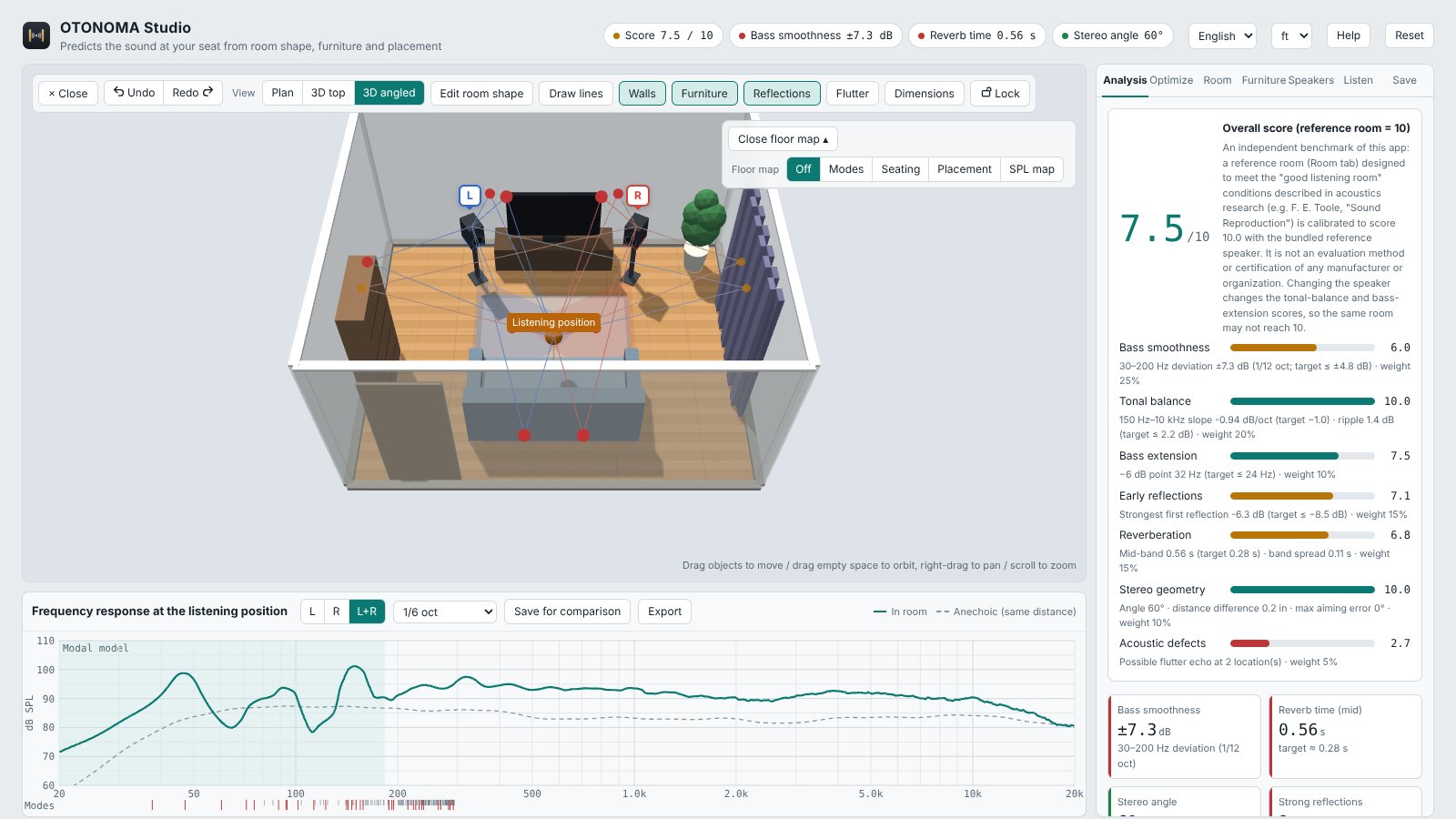
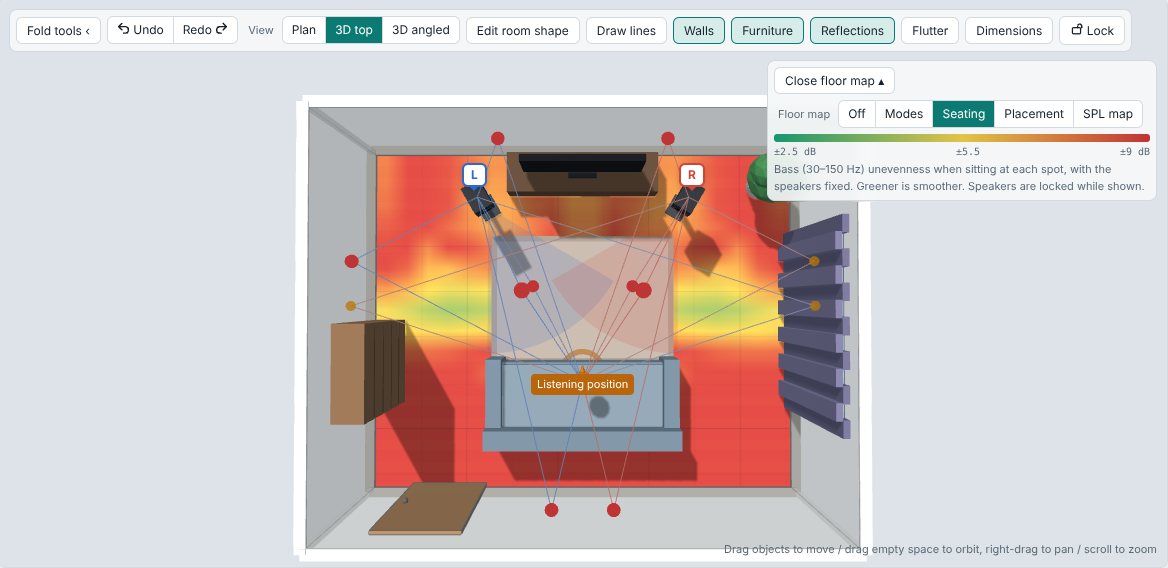
KIKUBEYA Studio computes room acoustics with a physical model.
- Response at your seat: bass from the room's modes, mids and highs from the reflections.
- Floor maps: standing waves, seating, speaker placement and sound pressure in colour, so good spots stand out.
- First reflections and flutter echo: where sound bounces, and where absorption will help.
- Virtual listening: the speakers in that room, on your headphones. Choose from 49 HRTFs with a blind listening test, and a webcam keeps the sound fixed in space as you turn your head.
- Export: profiles for Player and Engine (.slprof), and settings for Equalizer APO / HeSuVi.
- Measured room correction (Complete): measure your real room with a measurement microphone and export the correction (.slcorr).
Your everyday music, in your room.
KIKUBEYA Player is free, and a full music player even without Studio.
- Play through the room: load a Studio profile and hear speakers in a room on headphones, following your head.
- One headphone as another: recreate another model from its frequency response or impulse response.
- High-quality playback: upsampling to 192 kHz with four interpolation filters, and WASAPI exclusive mode on Windows.
- Even volume and crossfade: no more jumps in loudness between tracks or albums.
- Home servers and DLNA: Subsonic / Navidrome / Jellyfin and DLNA libraries, right in your list.
- Tags and covers: looked up on MusicBrainz and the Cover Art Archive, saved after you check them.
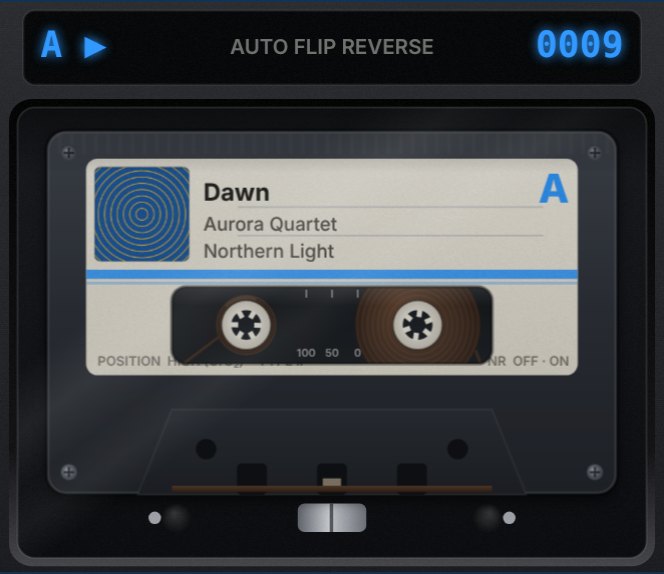
- Fun to watch: analogue VU meters and a cassette that flips over between tracks.
Pricing
Pay once; updates during 1.x are free. After purchase your licence key and the download wait on your customer page (you get an email with the link). One key works on up to 3 computers.
Predict your room and hear it on headphones
- Room, furniture and speaker simulation
- Floor maps, reflections, score and optimiser
- Virtual listening on headphones
- Profile and Equalizer APO export
Measure and correct your real room
- Everything in Studio
- Room measurement and analysis with a measurement mic
- Correction export from measurements (.slcorr)
For studios and companies (1 seat)
- Everything in Studio Complete
- Professional and commercial use
- Priority support
| What you get | Studio$30 | Studio Complete$50 | Commercial$330 |
|---|---|---|---|
| Room, furniture and speaker simulation | ● | ● | ● |
| Floor maps, reflections, score and optimiser | ● | ● | ● |
| Virtual listening on headphones | ● | ● | ● |
| Profile and Equalizer APO export | ● | ● | ● |
| Measurement-based room correction export (.slcorr) | — | ● | ● |
| Professional and commercial use (1 seat) | — | — | ● |
| Priority support | — | — | ● |
Prices in US dollars. The amount, currency and tax you pay are shown at checkout. Payment is handled by Polar, our merchant of record.
Download
KIKUBEYA Studio is a single file you open in your browser (download it from your customer page after purchase). Player and Engine are free.
Windows 10 / 11
The Player, and the Engine for all sound on the PC.
The installers are not code-signed yet, so Windows may ask for confirmation the first time.
Mac / iPhone
Studio runs in the browser, so it works on a Mac. There are no Mac or iPhone versions of the Player and Engine yet.
Requirements
| KIKUBEYA Studio | A browser with WebGL (current Chrome, Edge, Firefox or Safari). A webcam for head tracking; a measurement microphone for room correction (Complete). |
|---|---|
| KIKUBEYA Player | Windows 10 / 11 (64-bit), Linux (x86_64, ARM64), Android. |
| KIKUBEYA Engine | Windows 10 / 11 (64-bit), Linux. |
FAQ
Is it a subscription?
No. You pay once, and updates during 1.x are free.
Do I need an internet connection?
Only to activate the licence key; after that it works offline. Webcam head tracking downloads its face-tracking component from the internet.
On how many computers can I use it?
Up to 3 per licence key. When you replace a computer, remove the old one on your customer page.
Can I use just Studio, or just the Player?
Yes. Player and Engine work on their own as free audio software; to play through a room you use a profile made in Studio.
How accurate is the prediction?
Bass comes from the room's modes, mids and highs from image-source reflections. The closer your dimensions, absorption and speaker data are to reality, the closer the prediction. With Complete you can fit the room model to real measurements.
Can I get a refund?
Yes. Within 10 days of purchase we refund in full, no questions asked. Email atsuyaf117@gmail.com with the address you ordered with. The licence key stops working after a refund.
Does it run on Mac or iPhone?
Studio runs in a browser, so it works on a Mac. Player and Engine are currently for Windows, Linux and Android.
Do I need a measurement microphone?
Not for simulation alone — enter your room dimensions and speaker data and you are set. A measurement microphone is only needed for Complete's measurement-based fitting.
How do I get support?
Email atsuyaf117@gmail.com. KIKUBEYA is developed by one person, so replies may take a little time.